

AI writing tools have quietly become one of the most useful additions to a WordPress workflow. Whether you’re a solo blogger trying to publish more consistently, a marketing agency managing content for multiple clients, or a small business owner who needs to keep a website fresh — the right AI plugin can save you hours every week.
But the market has exploded. There are dozens of options now, each making bold claims about content quality, SEO performance, and ease of use. Most reviews you’ll find online are either outdated, superficial, or quietly sponsored by the tools they’re recommending.
This guide is different. We spent time actually using each plugin inside real WordPress installs — both Gutenberg and Classic Editor — testing everything from how naturally they fit into a writing workflow to how much they actually cost when you factor in API usage and subscription tiers. Here’s what we found.
Who Is This Guide For?
This comparison is aimed at WordPress users who want to write and publish content faster without hiring a full writing team or paying for an expensive standalone SaaS tool. If any of the following sounds like you, you’re in the right place:
You run a WordPress blog and want to publish more often
You manage content for clients and need to work efficiently
You want AI help inside the editor, not in a separate tab
You’re wary of tools that lock you into expensive monthly plans
You care about data privacy and where your content goes
You use Classic Editor and most tools seem to ignore you
How We Tested These Plugins
Every plugin on this list was installed and tested on a live WordPress site running both Gutenberg and Classic Editor. We evaluated each one across six criteria, giving equal weight to day-to-day usability as we did to raw feature count.
Quick Comparison
All major plugins ranked by overall score for 2026.
| Plugin | Best For | Free Plan | Own API Key | Gutenberg | Rating |
|---|---|---|---|---|---|
| ⭐ My Blog Writer | Overall Best Choice | No | Yes | Yes | 9.8 / 10 |
| AI Engine | Power Users | Limited | Yes | Yes | 8.8 / 10 |
| GetGenie AI | SEO Content | Limited | No | Yes | 8.5 / 10 |
| Bertha AI | Beginners | No | No | Yes | 8.1 / 10 |
| ContentBot | Bulk Content | No | No | Yes | 7.9 / 10 |
Plugin Breakdown
A closer look at what each plugin does well — and where it falls short.
Best Overall AI Writing Plugin
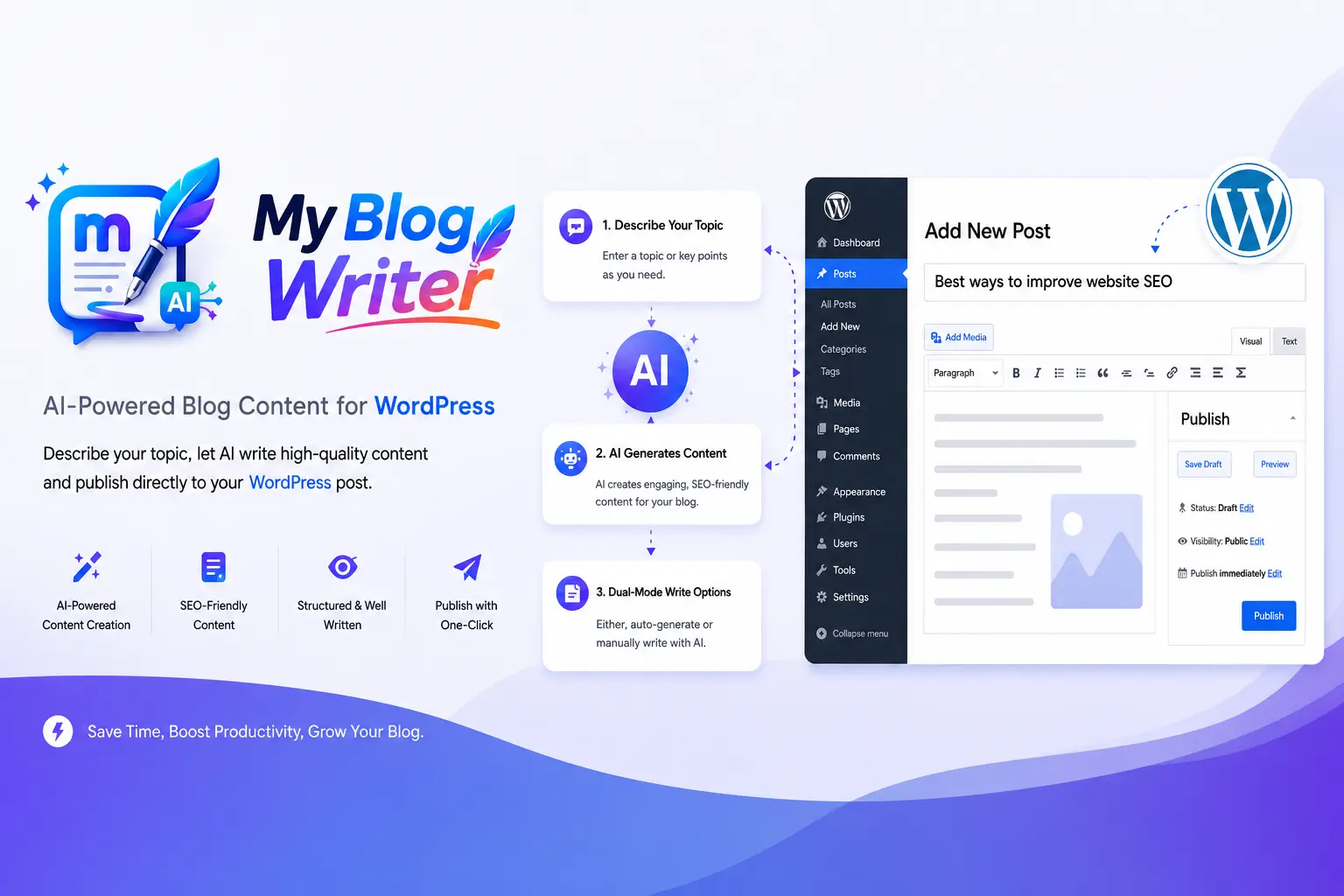
My Blog Writer is a lightweight AI writing assistant built specifically for WordPress users who want complete control over their content generation workflow. Unlike most competitors that route your content through their own servers, it connects directly to OpenAI using your own API key — meaning you pay only for what you use, with no plugin subscription fee on top.
What makes it stand out in day-to-day use is how naturally it fits into the editor. Whether you’re in Gutenberg or Classic Editor, the controls feel native rather than bolted on. Inline editing works without scrambling your formatting, which is a common frustration with other tools. For bloggers, agencies, and SEO professionals who just want to write faster — not learn a new platform — it’s the most practical option available right now.
Pros
- ✓Uses your own OpenAI API key
- ✓No monthly plugin subscription
- ✓Gutenberg & Classic Editor support
- ✓Inline text editing
- ✓Preserves formatting
- ✓Custom AI commands
- ✓Secure local API key storage
Cons
- ✕Requires an OpenAI API key
- ✕Advanced automation features limited
Bloggers
Agencies
SEO Professionals
Small Businesses
Best for Power Users
AI Engine is one of the most established AI plugins in the WordPress ecosystem. It goes well beyond content writing — offering chatbot builder functionality, multiple AI model integrations, and a range of automation tools. If you need a single plugin that handles content generation, on-site AI chat, and custom AI-powered features, AI Engine is the most capable option here. The trade-off is complexity: the settings panel can feel overwhelming, and many of its features simply won’t be relevant if writing is your primary goal.
Pros
- ✓Feature-rich plugin
- ✓Built-in chatbot support
- ✓Multiple AI model integrations
Cons
- ✕More complex setup process
- ✕Interface can feel overwhelming
- ✕Many features unnecessary for writers
Power Users
Developers
Best for SEO Content
GetGenie AI takes a different angle to most writing plugins: it leads with SEO. Rather than just helping you write faster, it tries to help you write content that ranks. You get keyword research, competitor analysis, and content scoring baked directly into the WordPress editor. For marketers whose primary goal is organic traffic, this is genuinely useful. The downside is that you’re locked into their pricing tiers — there’s no option to bring your own API key — which makes ongoing costs harder to control as your publishing volume grows.
Pros
- ✓SEO-focused content workflows
- ✓Keyword recommendations built in
- ✓Content scoring system
Cons
- ✕Subscription-focused pricing
- ✕Key features locked behind premium
SEO Marketers
Content Strategists
Best for Beginners
Bertha AI is the most approachable option on this list. Installation takes minutes, the interface is clean, and you don’t need to configure much to get started. For someone who has never used an AI writing tool before, that simplicity is genuinely valuable. Where it falls short is for users who want more nuanced control — custom prompts, fine-tuned formatting behaviour, or deep Classic Editor integration are all areas where Bertha lags behind the more capable options.
Pros
- ✓Beginner-friendly interface
- ✓Very easy to get started
Cons
- ✕Limited customization options
- ✕Fewer advanced editing tools
Beginners
Non-Technical Users
Best for Bulk Content
ContentBot is built for volume. If you need to generate a large number of articles quickly — think affiliate sites, programmatic content, or high-frequency news publishing — it has the automation features to support that. The WordPress integration exists but feels secondary to its core standalone web app, which means the in-editor experience isn’t as polished as the other tools here. For most WordPress-focused users, the cost-to-value ratio also becomes harder to justify at scale.
Pros
- ✓Bulk article generation
- ✓Strong automation features
Cons
- ✕Less focused on WordPress workflow
- ✕Higher ongoing subscription costs
High-Volume Publishers
Content Agencies
What to Look for Before You Choose
Not every AI writing plugin is right for every WordPress user. Before installing anything, it’s worth thinking through a few key questions that will quickly narrow down your options.
Plugins that let you connect your own OpenAI API key (like My Blog Writer and AI Engine) tend to be more cost-effective in the long run. You pay OpenAI directly for what you use, rather than paying a plugin vendor a fixed monthly fee regardless of how much content you produce. If you write a lot, this can save you significant money.
Surprisingly, many AI writing plugins were built with Gutenberg in mind and treat Classic Editor as an afterthought. If you’re running Classic Editor — as many site owners with established workflows still do — make sure the plugin you choose explicitly supports it. My Blog Writer is one of the few that treats both editors as first-class citizens.
If search rankings are your primary goal, a tool like GetGenie AI — with its built-in keyword research and content scoring — might justify its higher price. But if you already have an SEO plugin like Yoast or Rank Math and just want faster writing, paying extra for built-in SEO features is probably unnecessary.
This is an under-discussed concern. When you use an AI writing plugin, your content — including drafts, topics, and potentially client material — gets sent somewhere. Plugins that use your own API key route that data directly to OpenAI under your account. Plugins with proprietary systems may store or process your content on their own servers. If you’re writing for clients or handling sensitive topics, it’s worth understanding the data flow before you commit.
Which Plugin Should You Choose?
For most bloggers, agencies, and business owners, My Blog Writer delivers the best overall value. It’s lightweight, uses your own OpenAI API key so you stay in control of costs, and integrates seamlessly into both Gutenberg and the Classic Editor.
- ✓Best balance of price and performance
- ✓Full ownership of your API usage
- ✓No recurring plugin fees
- ✓Gutenberg & Classic Editor compatible
- ✓Inline editing without breaking formatting
- ✓Secure, local API key storage